![Bildmarke_only_positive.png]](https://support.3dspark.de/hs-fs/hubfs/Bildmarke_only_positive.png?height=40&name=Bildmarke_only_positive.png)
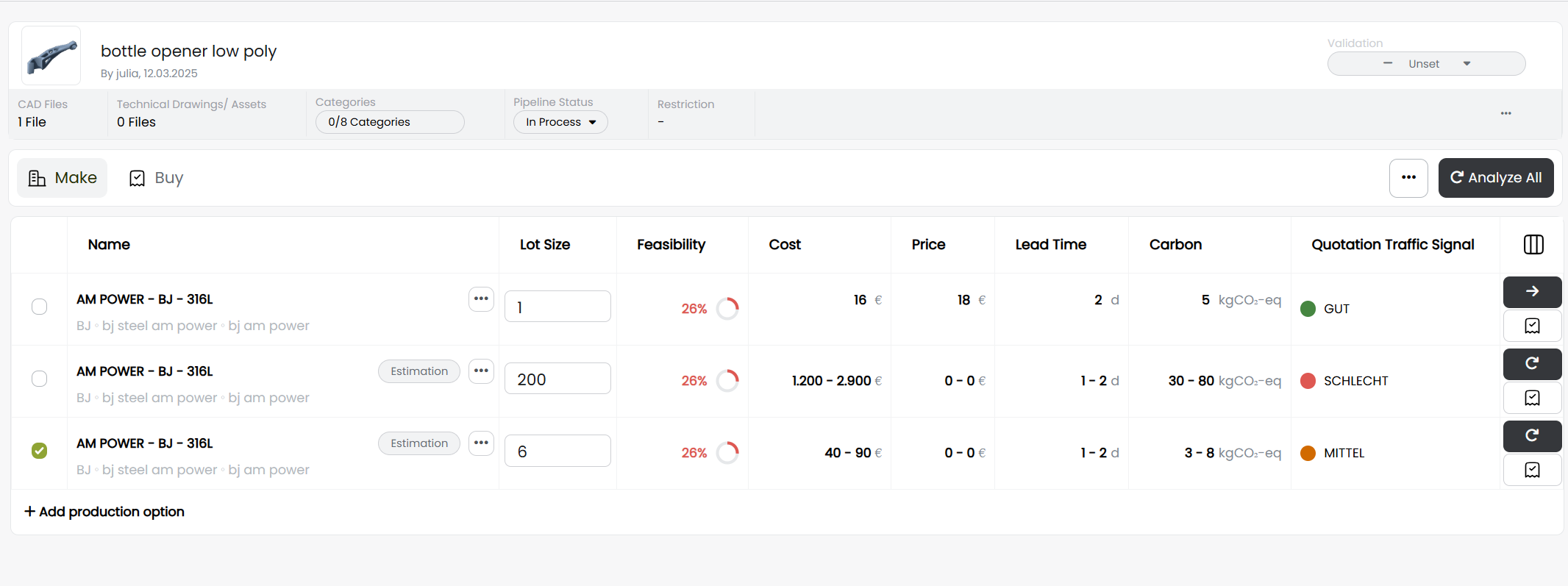
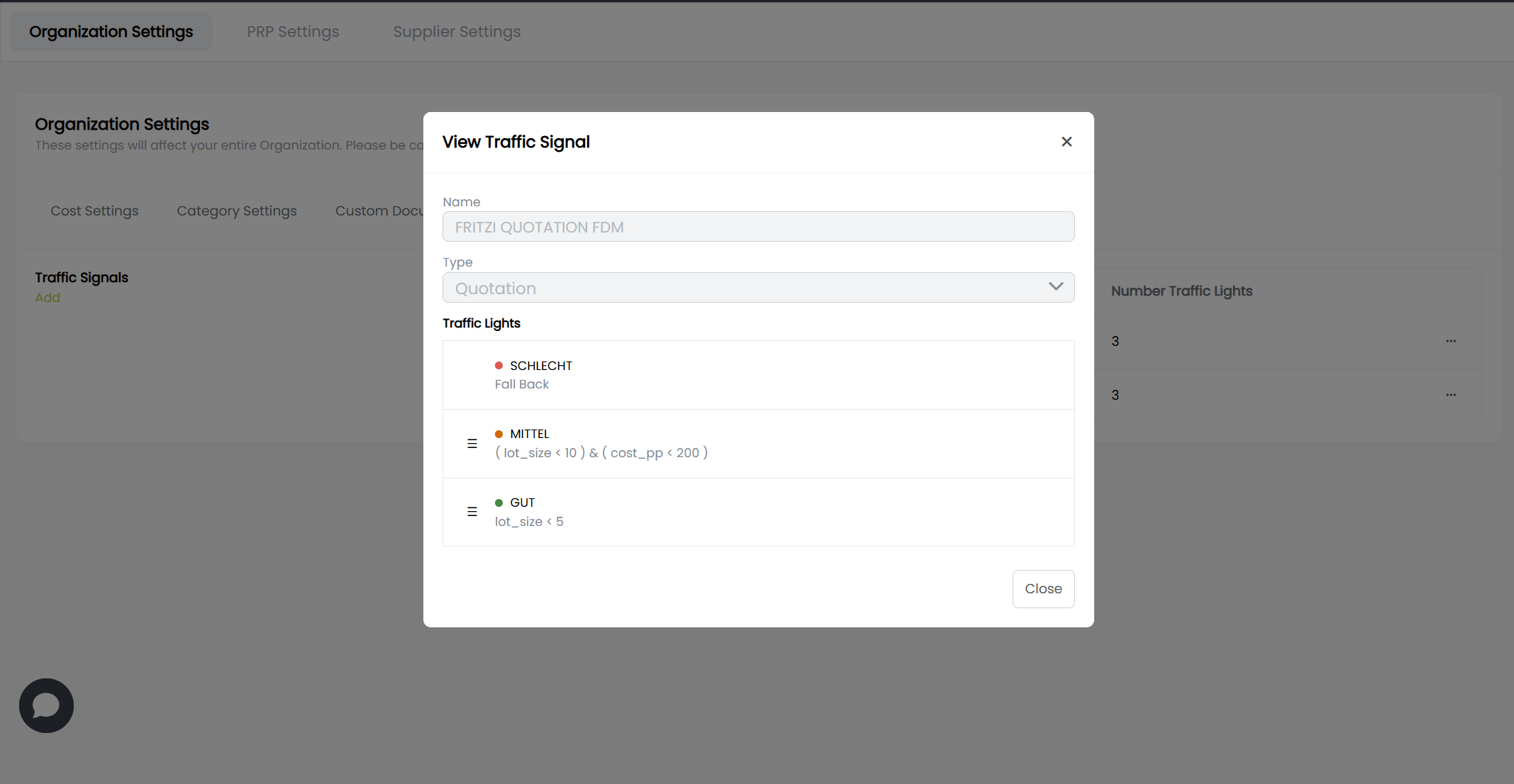
The major feature in this release is the so called “Traffic Light”. Using formulas (expressions), the suitability of a process chain can be automatically categorized into  ,
,  or
or  to make it clear at first glance whether a production option is suitable for e.g. auto-quoting, manual review or rejection.
Additions
- Traffic Lights can be configured for custom process chain templates.
- Custom process chain templates can be inspected and assigned a traffic light in their respective library.
- Exported calculation details feature a overview with all the process steps in a single sheet.
- Custom casting and milling materials can be created, deleted and edited just like any AM material.
- If a current material is given on the input page, the suggested production options from it are ordered by suitability. The best one is highlighted.
- New available columns in the Part Library page: Pre-, Main-, Post and Material-Cost
- Feasibility scores (machine fit, size, gaps, thickness, supportability, casting radii, mean thickness, material agglomeration…) are now available in the custom document generation.
- Selected visible properties in PRP (e.g. part mass, volume etc.) are now shown as range depending on the applied filter.
- When a machine-material combination is used for calibration, a template can be created at the end of the process.
- The lead time of a process step is automatically updated, when a machine time feedback value is given.
- Reworked material selection from process chain details tab.
- Restyling of the supplier panel (Buy page).
Bug Fixes
- Lot size change in supplier panel does no affect prices.
- Custom main process step cannot be calculated.
- Part images are not replaced, if moved or copy-pasted.
- Selected columns not saved.
- CO2 emission underestimated for very small parts.
- Casting process chains cannot be created from material.
- Tiered prices show prices for wrong lot size.
- Price range is showing “0 € – 0 €”, if the process chain has not been analyzed.
- Back button on comparison page does not function.
- Material and technology cannot be set to “none” without reloading the page.
- Field show red and as required even before a user had the chance to enter something.
- Embodied carbon for V4A toom high.
- Mismatching pricing name in pricing configurator and created configuration.
- Dropdown components are cropped by surrounding containers and create a scrollbar.
- Default AM material density is 0%.
- Feasibility score on process chain details not rounded.
- User details cannot be fetched at different occurrences.
- Inconsistent styling on the price details page.