![Bildmarke_only_positive.png]](https://support.3dspark.de/hs-fs/hubfs/Bildmarke_only_positive.png?height=40&name=Bildmarke_only_positive.png)
Tiered Pricing (Staffelpreis) allows organizations to define a structured pricing system based on predefined lot sizes—such as 1, 10, 100, or 1000 units. For each of these tiers, the system automatically calculates prices for all available production options. This enables transparent cost comparisons across different production methods and quantities, and supports strategic decision-making during procurement and quoting. Tiered pricing helps teams understand the cost impact of scaling production and offers customers clear price breakdowns for various order sizes.
How Tiered Pricing Works
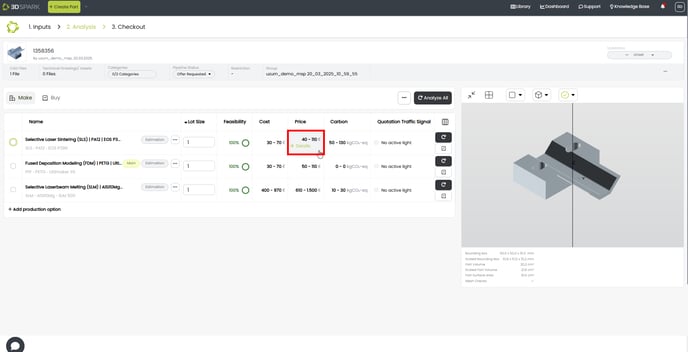
- Go to the Price tab of a Production Option and click Details.
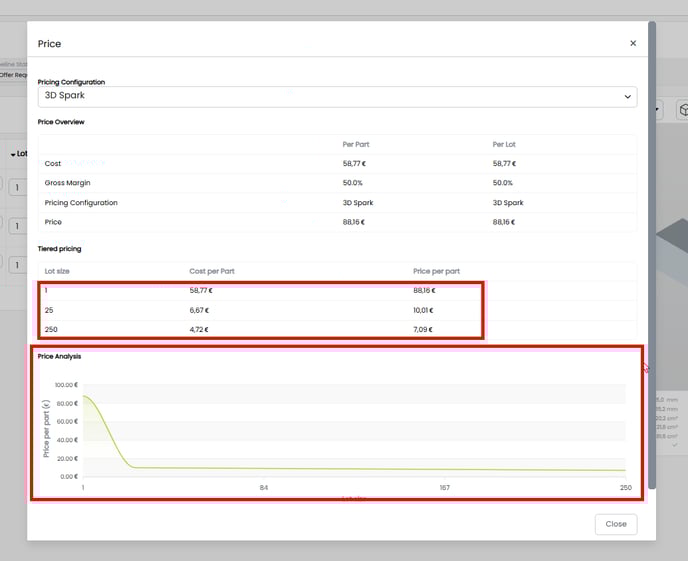
- You can examine how cost and price vary based on lot size. Additionally, a graph provides a visual representation of this relationship, making it easier to understand how pricing changes with different quantities.
How to set up the Tiered Pricing Configuration
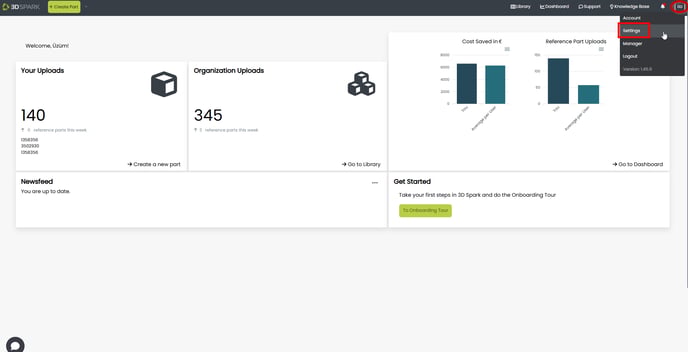
- Click your initials (top-right) and click Settings.
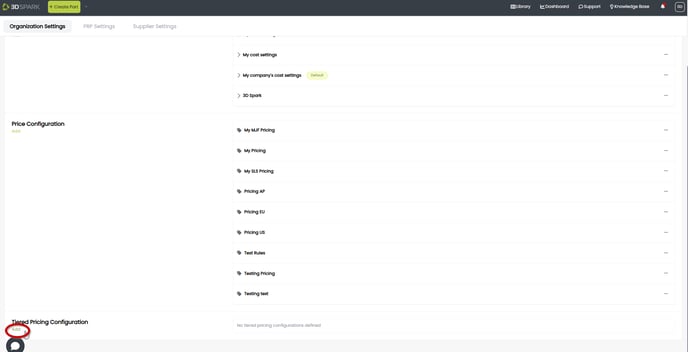
- Under Organization Settings > Tiered Pricing Configuration > Click Add
- Please follow these steps:
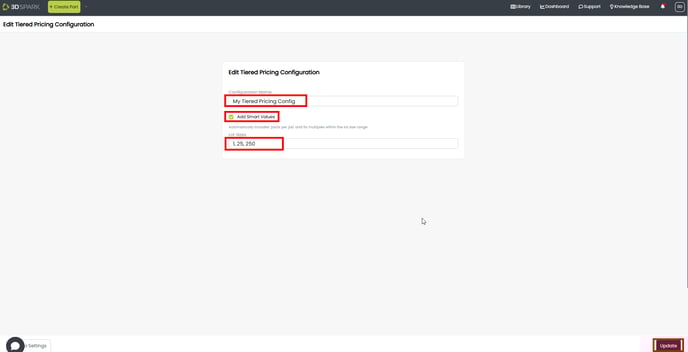
- Give your configuration a name.
- You can choose the "Add Smart Values" option to enable the system to automatically calculate the maximum number of parts per build job. This feature will then include the identified lot size and its multiples in the tiered pricing visualization.
- Give the lot sizes for the tiered pricing, separated by comma e.g. 1, 25, 250.
- Click Create or Update (bottom-right)
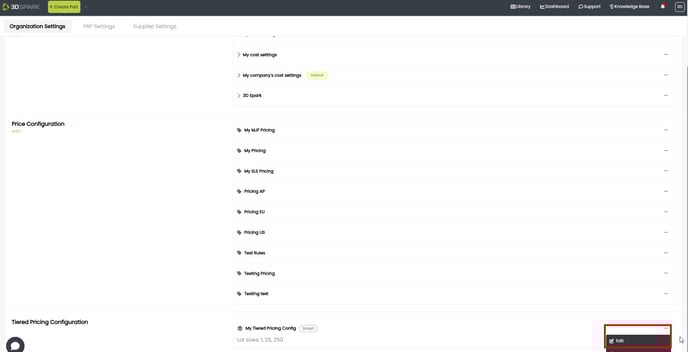
- Your Tiered Pricing Configuration is saved. You can edit / delete it under Organization Settings > Tiered Pricing Configuration > Three dots
Keywords: Staffelpreis, Staffelpreise