![Bildmarke_only_positive.png]](https://support.3dspark.de/hs-fs/hubfs/Bildmarke_only_positive.png?height=40&name=Bildmarke_only_positive.png)
The build time estimates in 3D Spark's automated cost calculation are a critical parameter, with 3D Spark typically estimating them with an accuracy of ±10%. If your goal is to achieve a more precise costing of within ±5%, especially for high-risk or high-cost parts, it may be advisable to refine 3D Spark’s build time estimation using the following methods:
1. Using Build Time Data from CAM Software, Slicers, or Magics
- Many slicing and CAM programs provide estimated build times based on part geometry and machine parameters.
- This data can be imported into 3D Spark to refine baseline build time estimates.
- However, these estimates may still have limitations, as they do not account for all real-world factors that can impact actual build times.
Once updated, the cost and price calculations in 3D Spark will be instantly adjusted with improved accuracy.
2. Collecting Empirical Data from Production Machines
For continuous improvements in 3D Spark’s build time estimation algorithms:
- The most accurate build time data comes from tracking actual production runs on the specific machines being used.
- 3D Spark allows users to provide feedback on actual build times, which can be used to refine estimation algorithms over time (under development).
- This approach requires a larger dataset of real-world build times to achieve high accuracy, but it ensures estimates are tailored to your specific manufacturing environment.
Recommended Approach for Manually Updating Build Time Estimates
- For standard, low-risk parts (traffic light = green): Use fully automated costing and pricing without manual adjustments.
- For medium-risk or medium-cost parts (traffic light = orange): Have an application engineer approve the analysis/pricing. If needed, update build times in 3D Spark with slicer/Magics/CAM data before quoting.
- For high-risk or high-cost parts (traffic light = red): Always update build times in 3D Spark with slicer/Magics/CAM data before quoting.
3D Spark has developed a 'traffic light' feature, that can automatically assign a risk / cost category for a part based on various economic or geometrical factors.
Click here to learn more about the traffic light system and set it up.
How to Manually Update Build Time Estimates
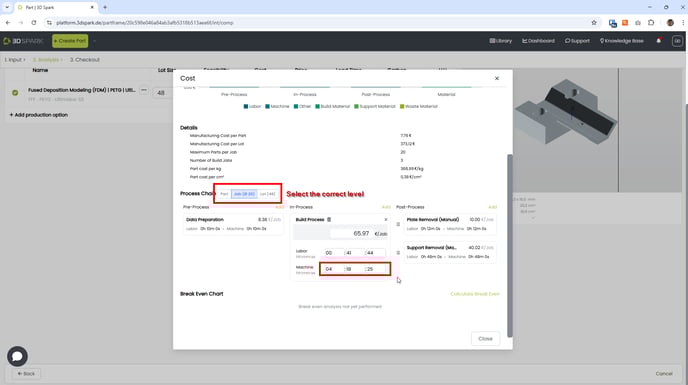
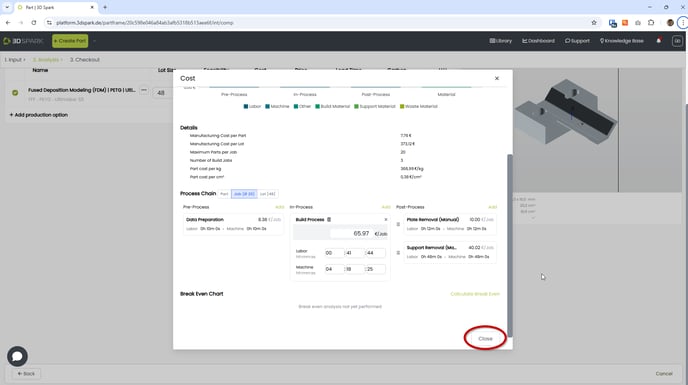
Below, you will find screenshots illustrating how to update build times in 3D Spark:
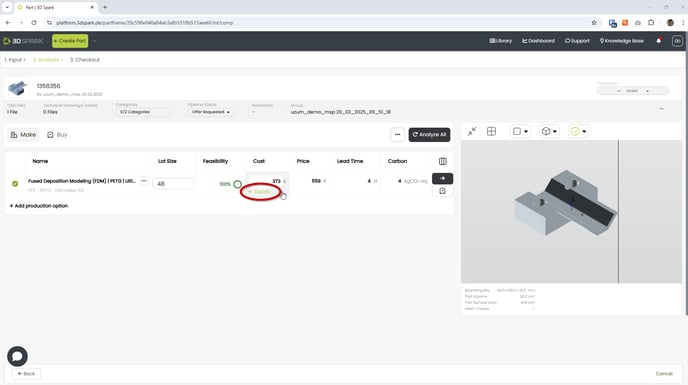
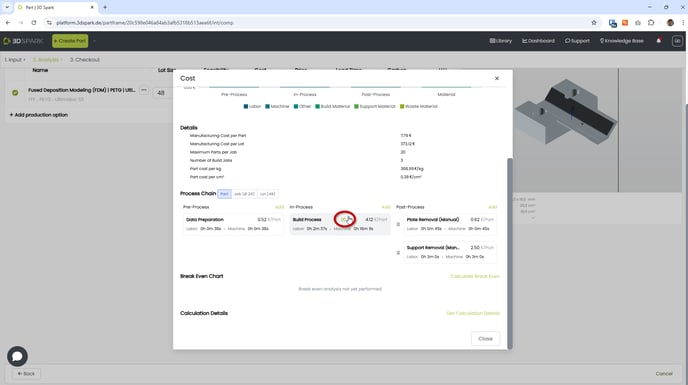
You can now manually update the build time (Machine time under In-Process > Build Process). Please make sure that you selected the correct calculation level before your input (per part, per job or per lot).
Slicers usually calculate the build time per job.
Related Features
You might want to check these related articles:
- Calibrating / modelling machines and materials
- Manually updating cost, lead-time and CO2 estimations
- Traffic Light system for auto-quoting