![Bildmarke_only_positive.png]](https://support.3dspark.de/hs-fs/hubfs/Bildmarke_only_positive.png?height=40&name=Bildmarke_only_positive.png)
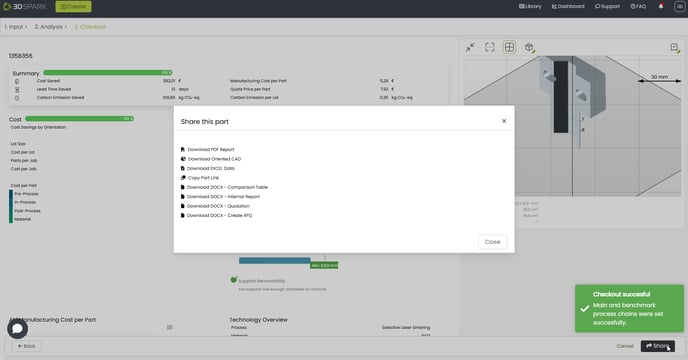
There are four different ways to export analysis results.
- PDF Report: Will forward you to a results view, which you can print or export as PDF.
- Oriented CAD: Will orient the uploaded file (STEP or STL) in the optimized orientation and return the file.
- Excel Data: Raw data in excel format for further processing.
- Custom Documents: Your organization can create document templates using Microsoft Word.
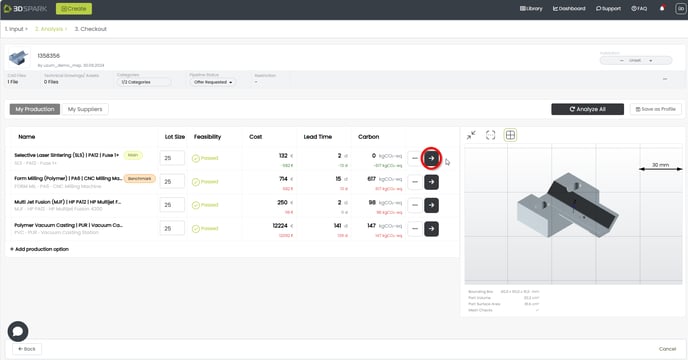
1- Analyze a production option and go to checkout:
2- Click 'Share' and select your output:
Find out more about Custom Documents here.