![Bildmarke_only_positive.png]](https://support.3dspark.de/hs-fs/hubfs/Bildmarke_only_positive.png?height=40&name=Bildmarke_only_positive.png)
One of the most critical 3D Spark tools is the Feasibility Check. This tool analyzes a part’s printability with the selected technology, material and machine.
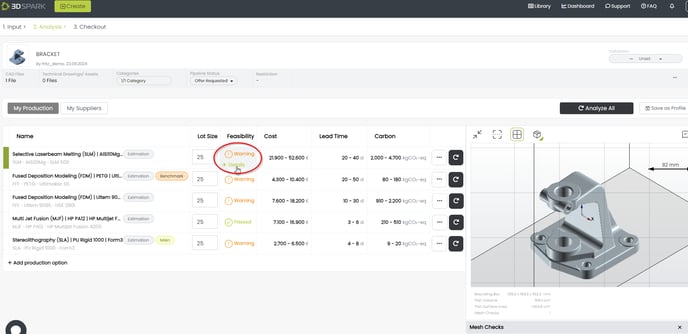
You can reach the feasibility summary by clicking “Details” under the “Feasibility” column of a Production Option.
Icons and color code
Green (Check mark): Feasible / Printable
Yellow (Exclamation mark): Might not be feasible / printable. Requires user’s attention
Red (Exclamation mark): Not feasible, design change might be required
Geometry Checks
Fits Machine: Does this part fit in the selected machine?
Fits Process: Is the geometry of this part within the limits of the selected AM process (independent of the machine)?
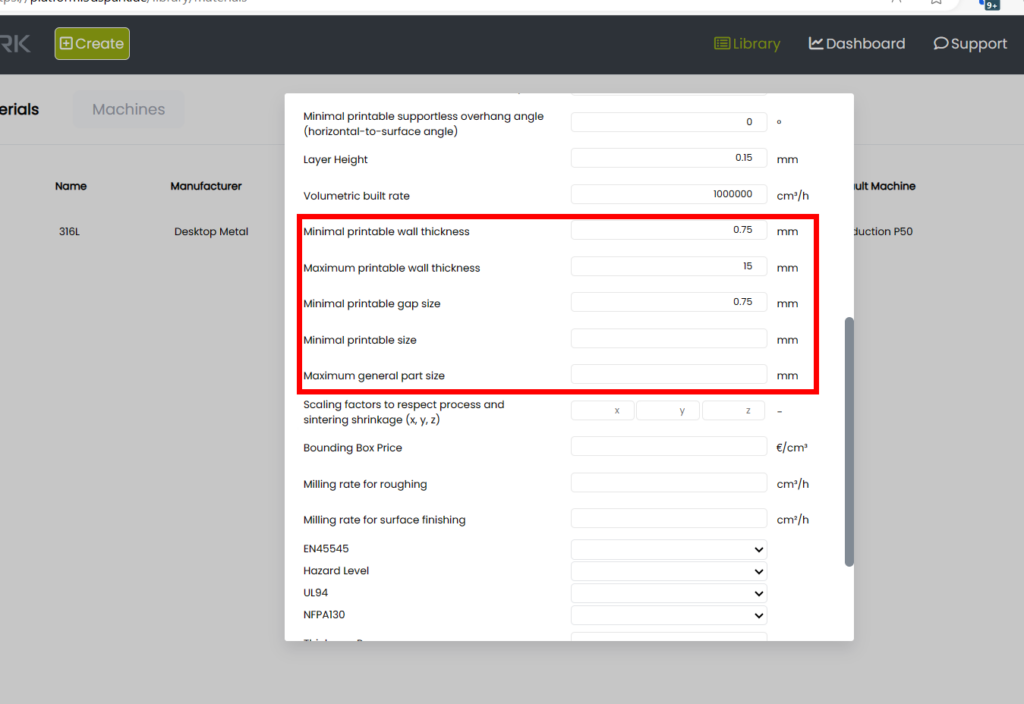
Wall Thickness: Does this part have walls thinner or thicker than the limits given under Material Properties?
Gap Size: Does this part have any Gap Size narrower than the limit given under Material Properties?
Support Removability: Does this part require any supports in the given orientation that might be hard to remove during the post-process?
NOTE: Each material/machine pair can have their own feasibility/manufacturability limits. These limits can be set in the material properties (only for custom materials added by the user). See: How to create a new material / custom material