Go to Library and click on the Duplicate icon on the right.
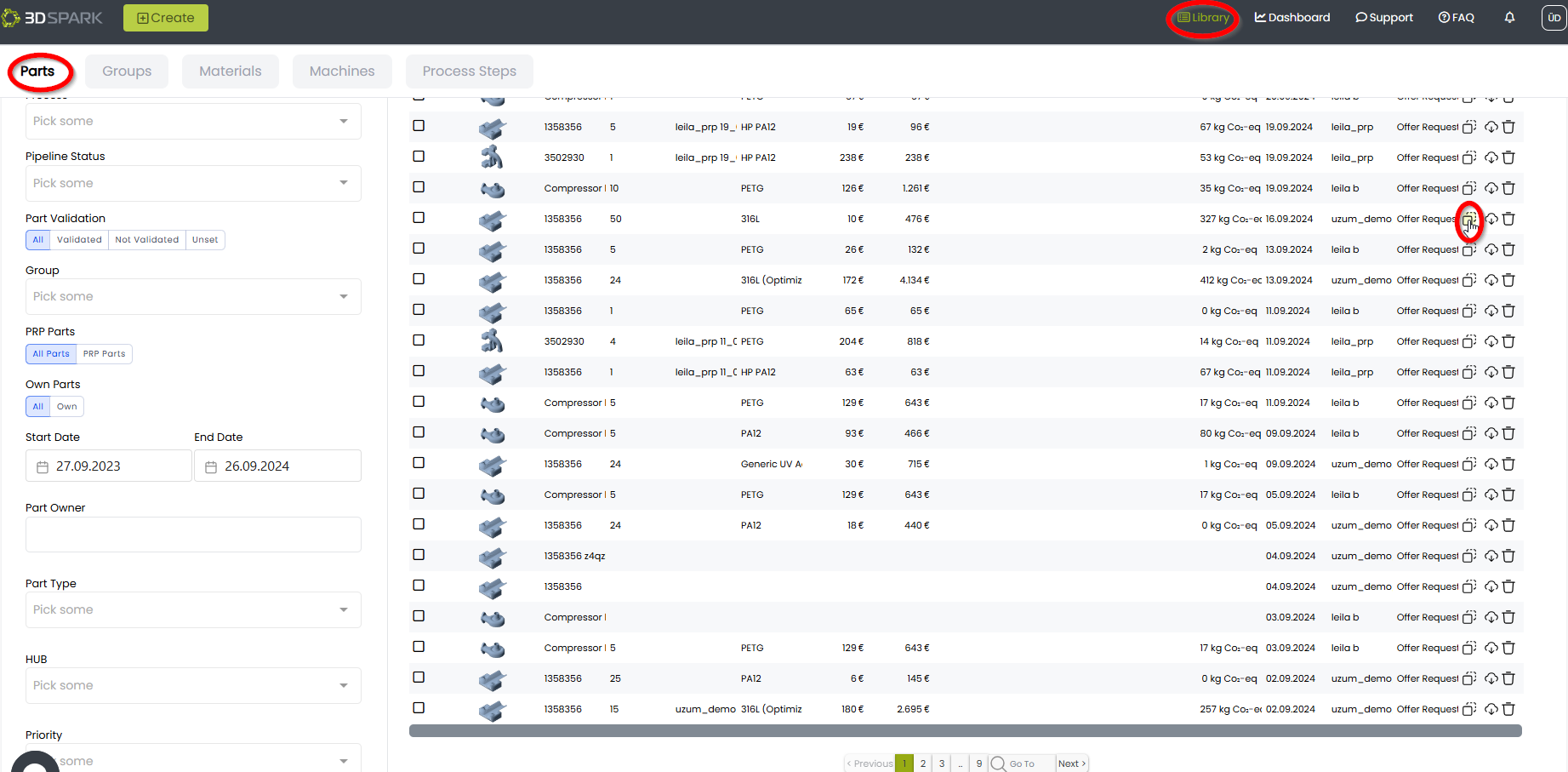
This part will be duplicated including the Production Options attached to it.
![Bildmarke_only_positive.png]](https://support.3dspark.de/hs-fs/hubfs/Bildmarke_only_positive.png?height=40&name=Bildmarke_only_positive.png)
Go to Library and click on the Duplicate icon on the right.
This part will be duplicated including the Production Options attached to it.