![Bildmarke_only_positive.png]](https://support.3dspark.de/hs-fs/hubfs/Bildmarke_only_positive.png?height=40&name=Bildmarke_only_positive.png)
3D Spark calculates the estimated process time, cost, lead-time, and carbon footprint for each step in a production option (process chain). To enhance accuracy, you have the option to manually adjust these estimated values based on real-world observations.
For instance:
- If the standard preparation time is set at 30 minutes but the actual time taken was 60 minutes for a specific part, you can update the preparation time to reflect this 60-minute duration.
- If the predicted lead-time for a post-processing step is 2 hours, but your supplier indicates a delivery time of 5 days, you can modify the lead-time for that step accordingly.
- If 3D Spark's build time estimation is not precise enough i.e. if the machines were not calibrated and the build time is calculated by the slicer.
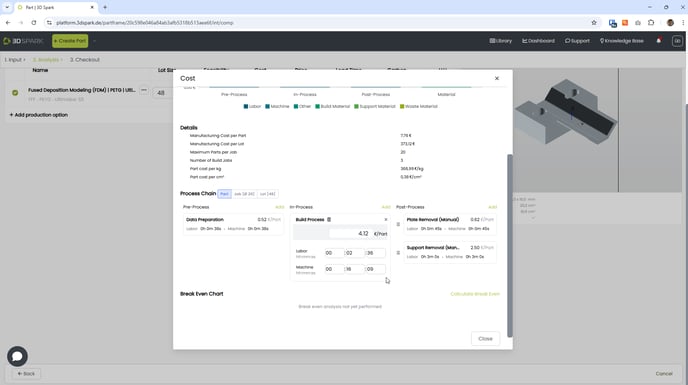
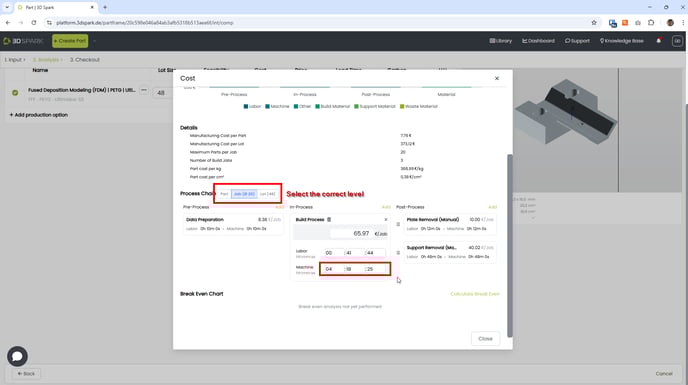
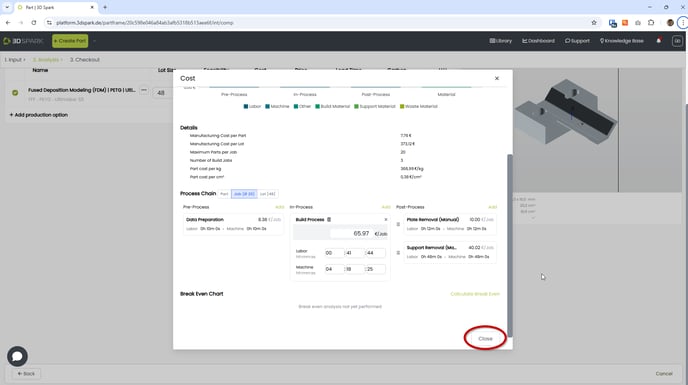
Refer to the screenshots below for guidance on how to manually adjust these estimated values.
Be aware that any values you manually adjust will revert to their original settings if you modify the lot size of the production option.
Manually updating process step costs
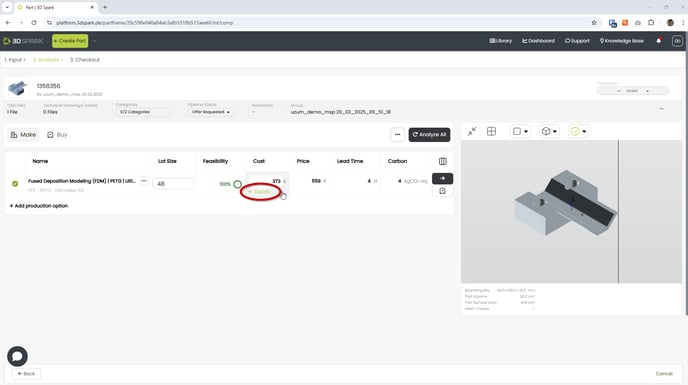
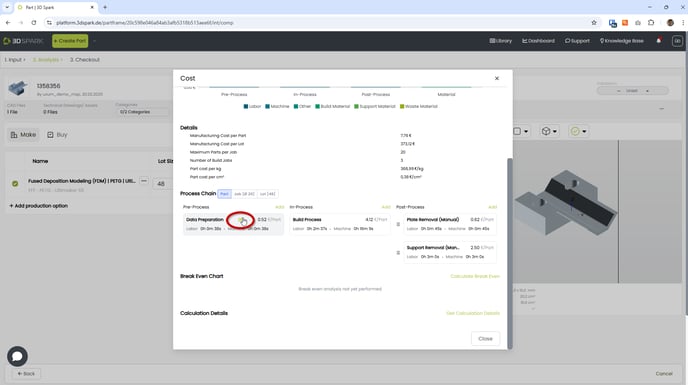
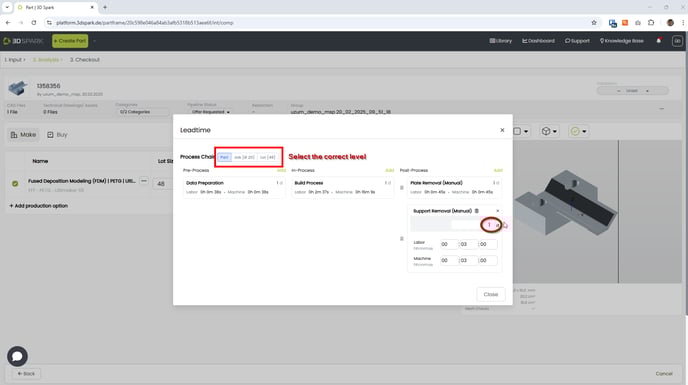
You can now manually update the cost, labor time and machine time of a process step. Please make sure that you selected the correct calculation level (per part, per job or per lot):
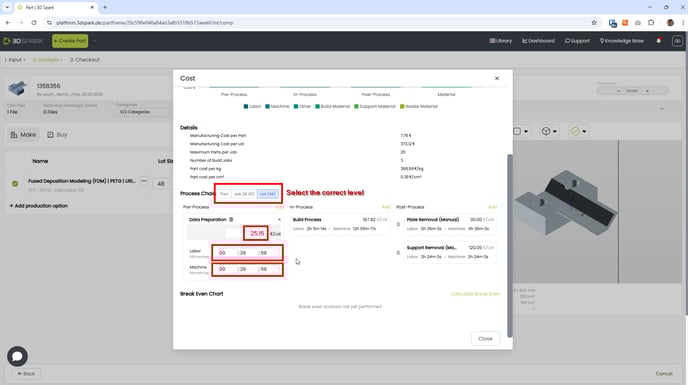
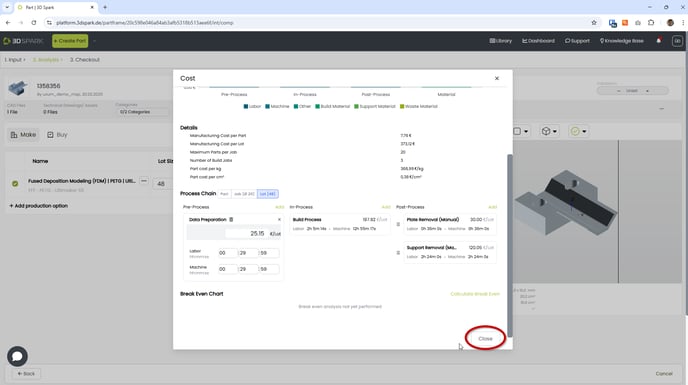
Manually updating process step lead-times
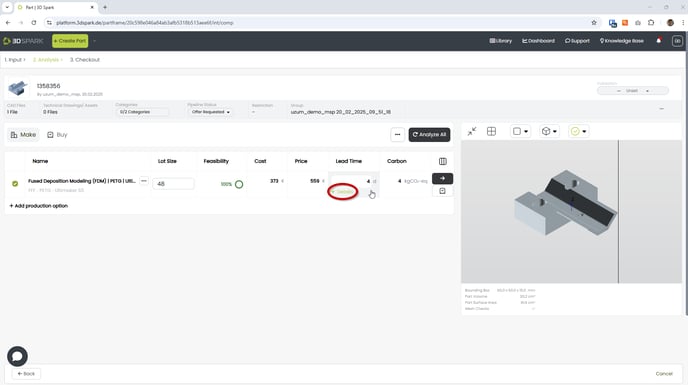
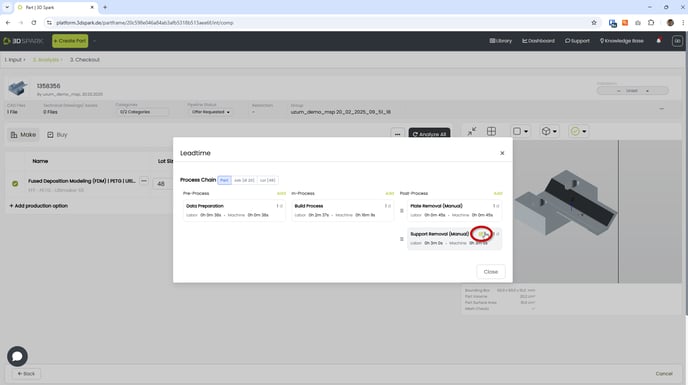
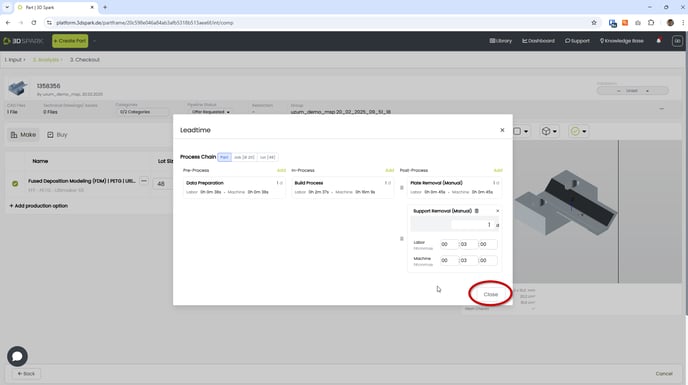
You can now manually update lead-time of a process step. Please make sure that you selected the correct calculation level (per part, per job or per lot):
Manually updating the build time (transferring estimations from the slicer)
Detailed article available: Click here for further information on how to adjust build times.
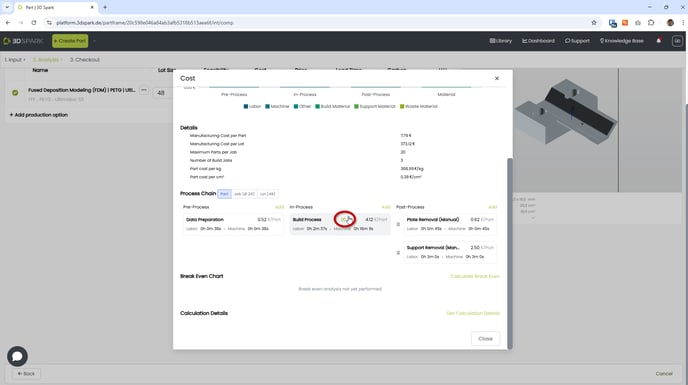
You can now manually update the build time (Machine time under In-Process > Build Process). Please make sure that you selected the correct calculation level (per part, per job or per lot).
Slicers usually calculate the build time per job.