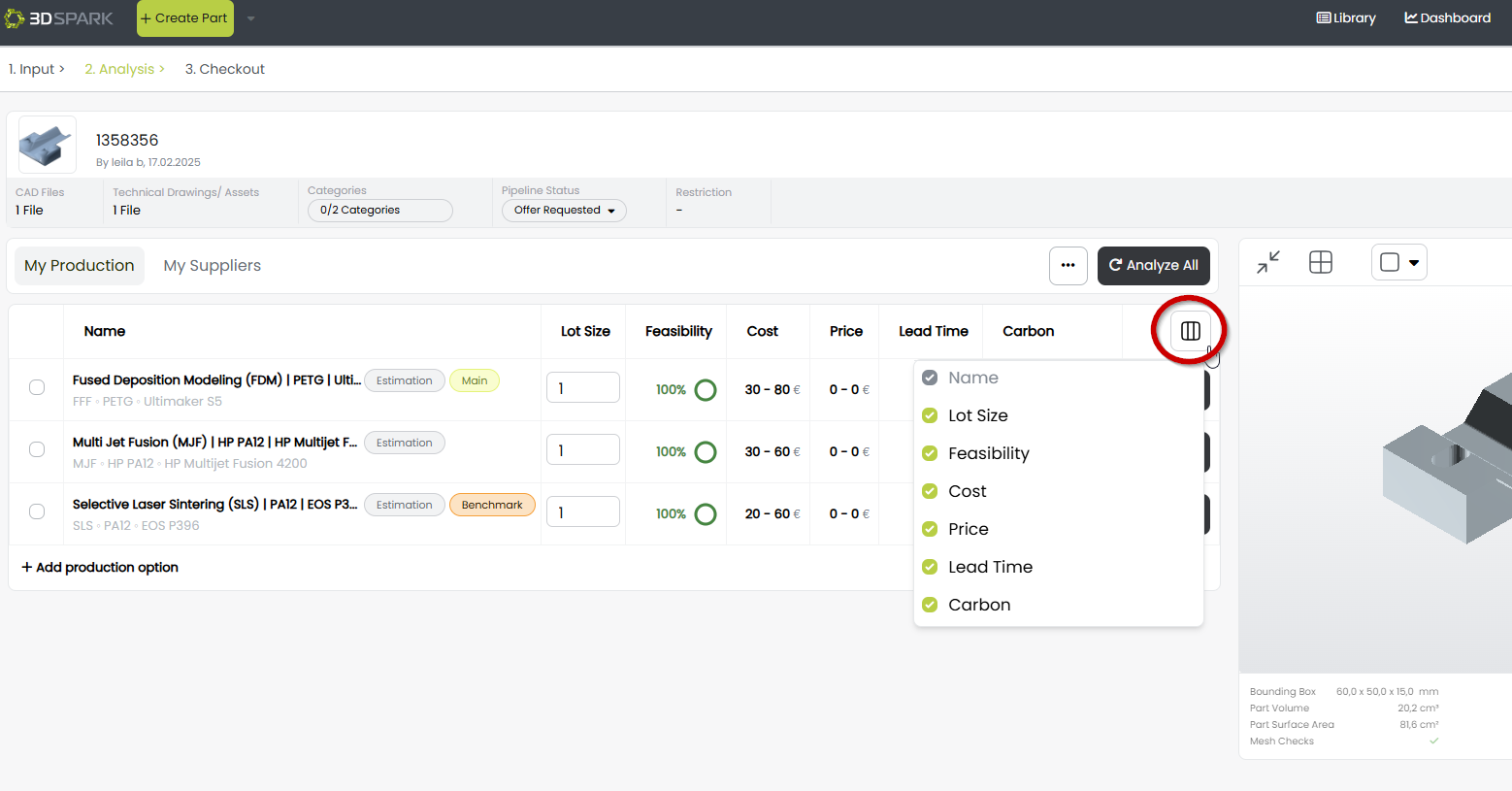
You can choose which columns to display in the comparison view, selecting from Lot Size, Feasibility, Cost, Price, Lead Time, and Carbon Footprint for a more focused analysis.
Go to the Analysis page and hide or show a column:
![Bildmarke_only_positive.png]](https://support.3dspark.de/hs-fs/hubfs/Bildmarke_only_positive.png?height=40&name=Bildmarke_only_positive.png)
You can choose which columns to display in the comparison view, selecting from Lot Size, Feasibility, Cost, Price, Lead Time, and Carbon Footprint for a more focused analysis.
Go to the Analysis page and hide or show a column: