![Bildmarke_only_positive.png]](https://support.3dspark.de/hs-fs/hubfs/Bildmarke_only_positive.png?height=40&name=Bildmarke_only_positive.png)
You can view the amount, mass, and cost of build, support and waste material, along with other production data, using the "Get Calculation Details" feature.
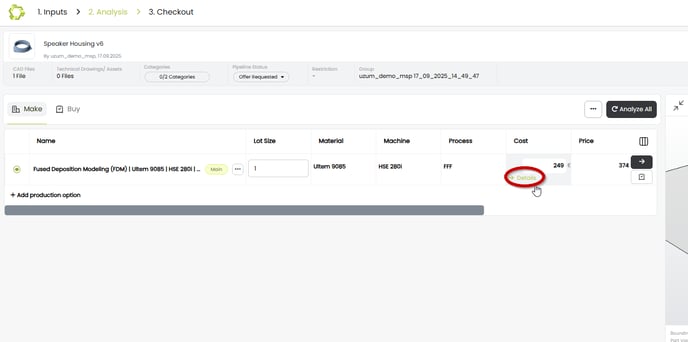
- Go to the Analysis page and click "Details" under the Cost column:
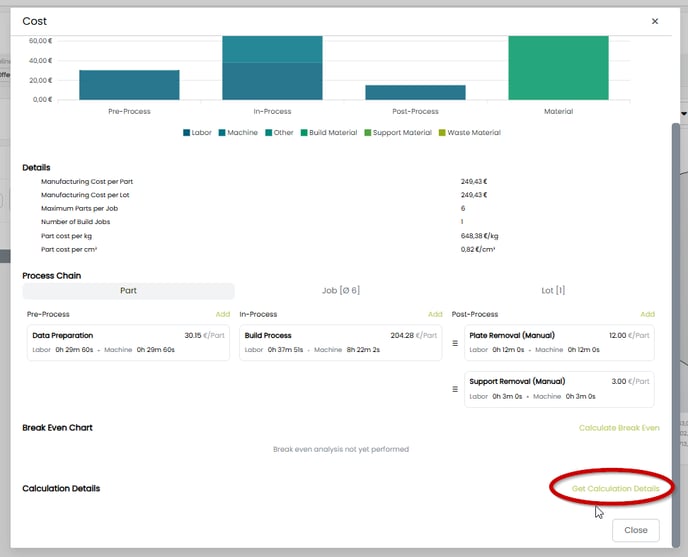
- Scroll down and click "Get Calculation Details":
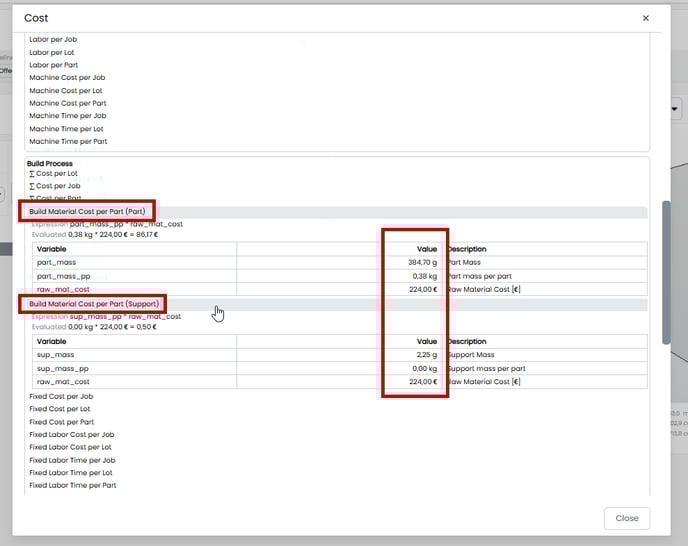
- Scroll down to "Build Process" and click on the "Build Material Cost" fields:
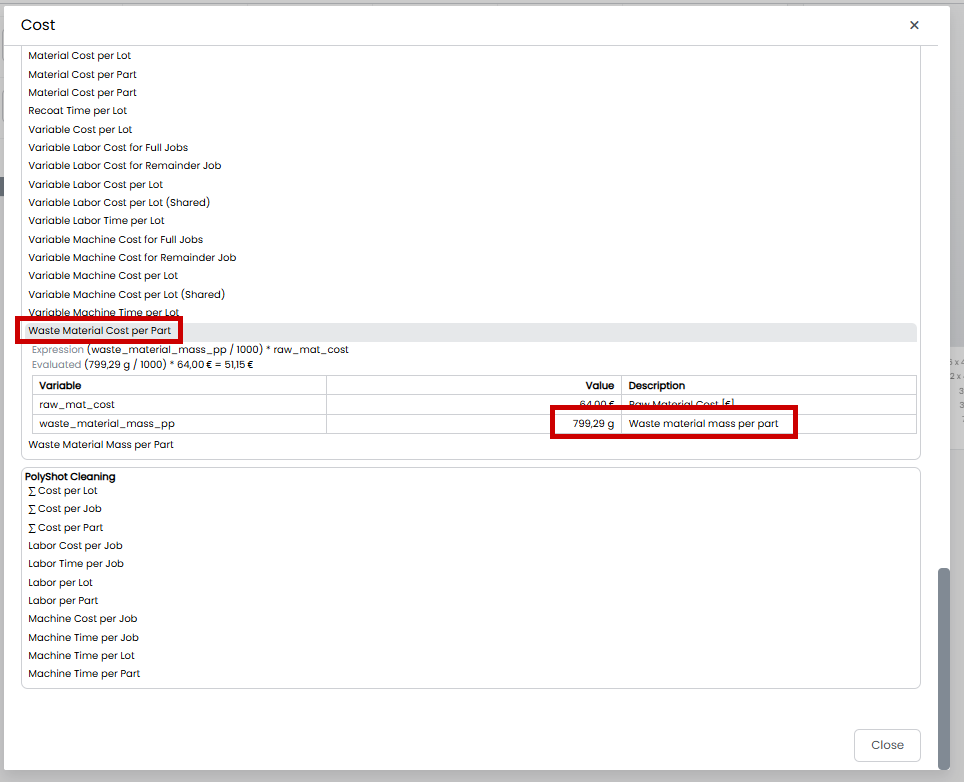
- Scroll further down and click "Waste Material" fields. Click "Waste Material Cost per Part":
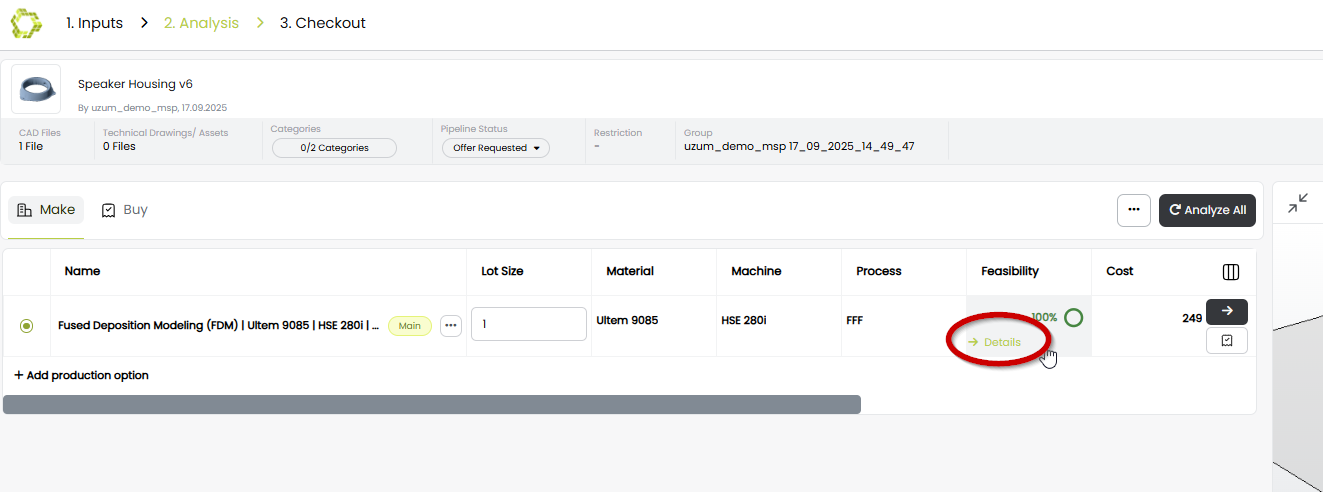
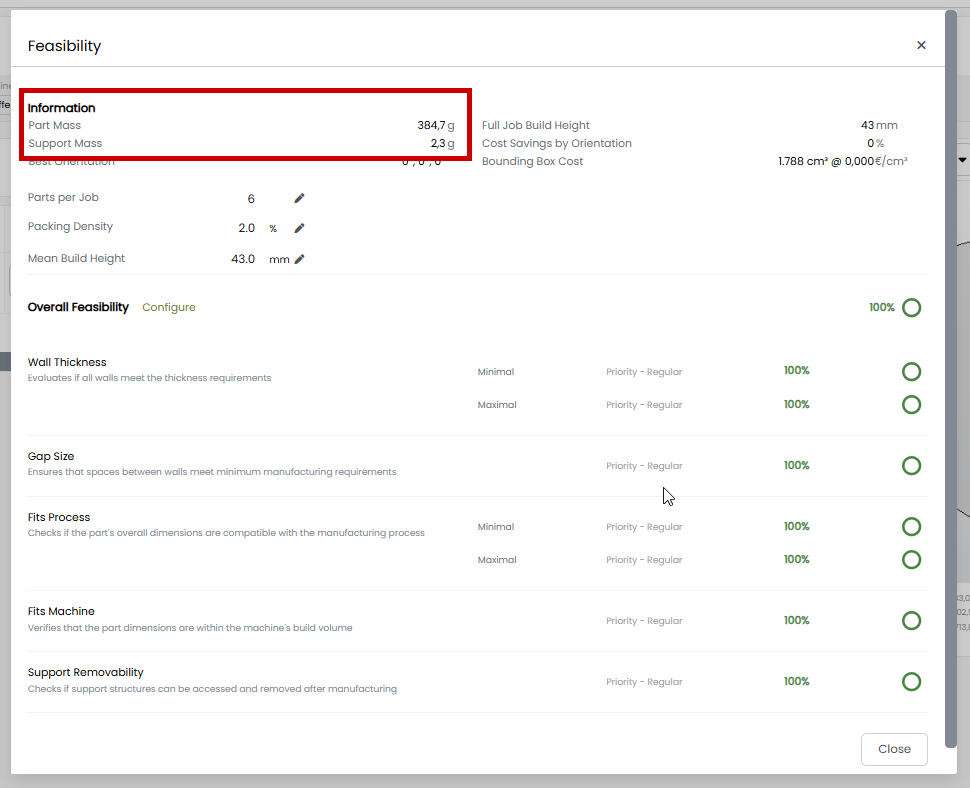
- The mass of the consumed build and support material is also visible directly under "Feasibility" column: