![Bildmarke_only_positive.png]](https://support.3dspark.de/hs-fs/hubfs/Bildmarke_only_positive.png?height=40&name=Bildmarke_only_positive.png)
Each material in 3D Spark is associated with a machine, so we recommend creating your machines before creating any new material.
Well modeled machines, materials and process steps are the backbone of precise cost and carbon footprint estimations. You can easily model your machines in 3D Spark by following the guide below.
- Go to Library --> Machine and click on “+ Add” button.

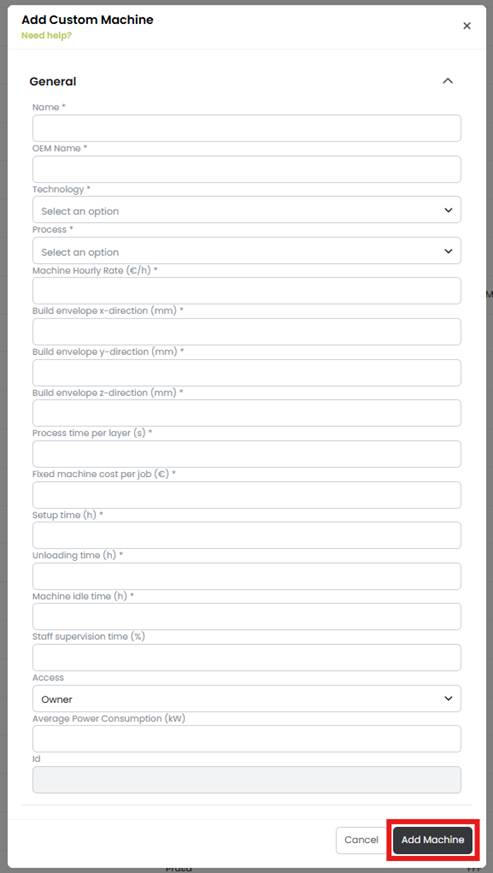
- A dialog box opens asking for the general information of the machine as shown below. Enter all the important information and click on the “Add Machine” button.
Now you can add materials related to this machine and start using them in the analysis.