- To upload a picture, pdf or describe what you would like to create, click on the “+ Part” button.
- On the Input page, just drag and drop the file to be uploaded or choose the “Technical Drawing”, “Image” or “Text” option to upload a particular file.
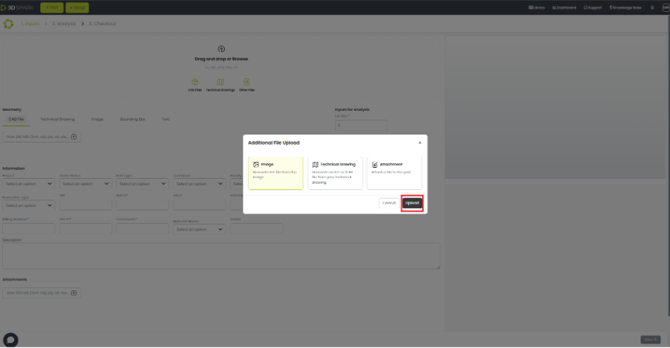
- After dragging and dropping a file, a dialogue box appears, choose the correct option and choose upload.
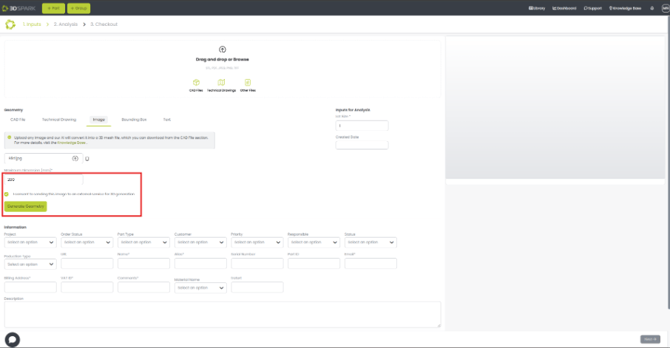
- Type in the maximum dimension and agree to give consent then click on “Generate Geometry”.
- You can also download the 3D model after it has been generated. Click on the download button by going to the “CAD File” option as shown in the picture below.
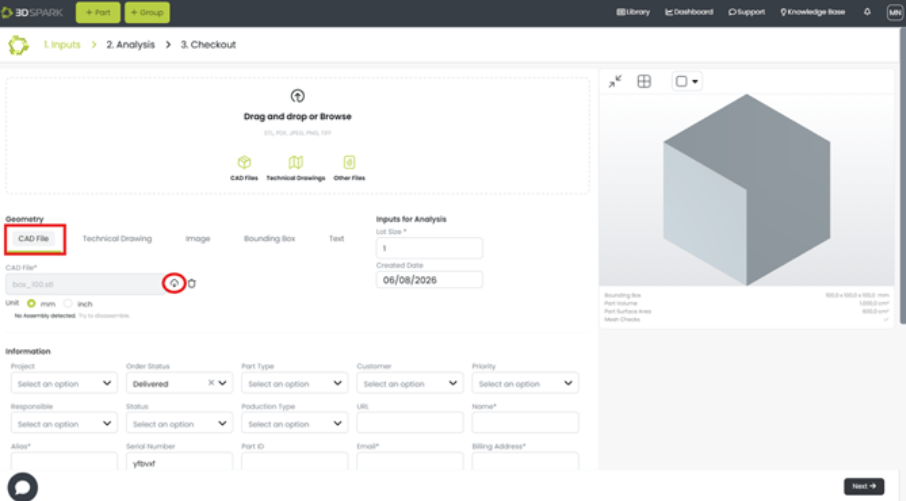
- Now you proceed to analyzing this part like any other CAD file.
English
![Bildmarke_only_positive.png]](https://support.3dspark.de/hs-fs/hubfs/Bildmarke_only_positive.png?height=40&name=Bildmarke_only_positive.png)